 tail
tail



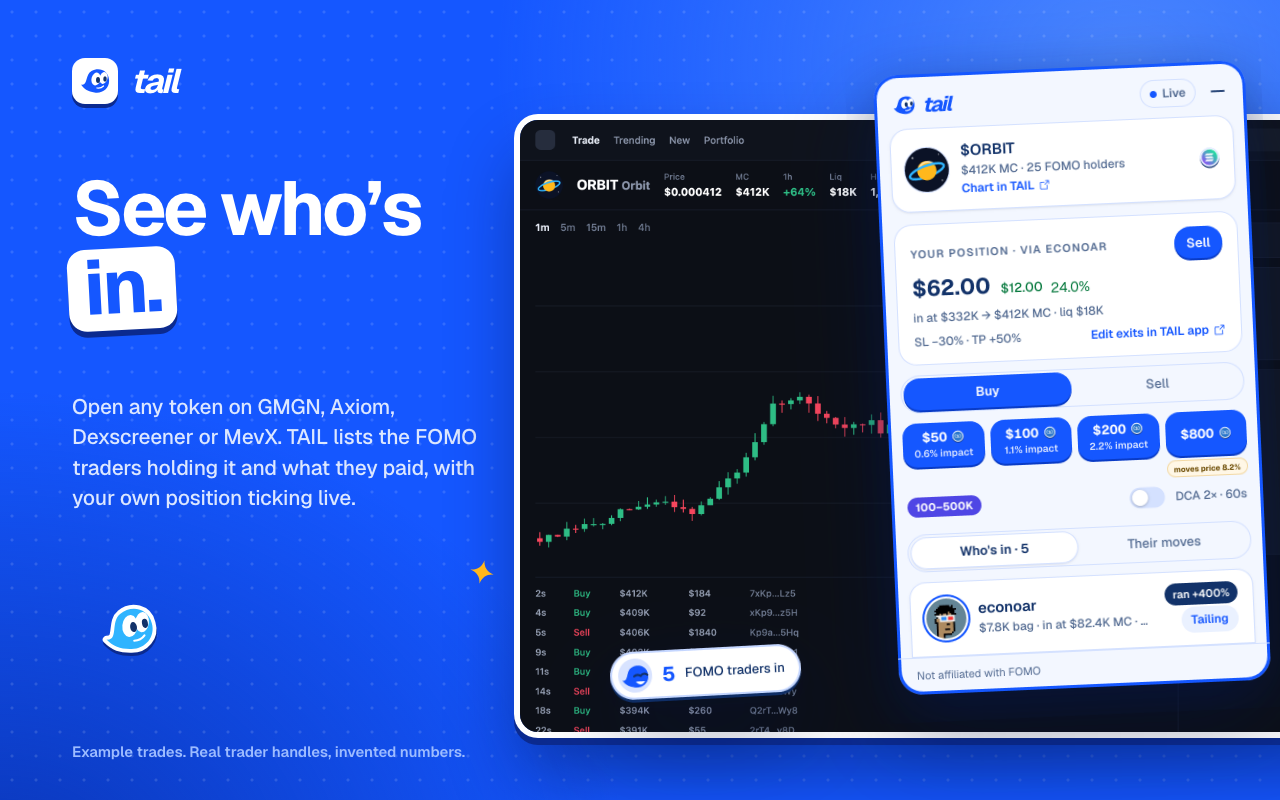
Open any token
On GMGN, Axiom, DexScreener or MevX, TAIL shows the FOMO traders holding it and what they paid.
THE TAIL EXTENSION
See which FOMO traders are in the token you’re on, what they paid, and when they sell. Then copy them on your own rules.
TAIL runs in a desktop browser. Open tail.family/download on your computer.
TAIL runs in Chrome, Brave, Arc, Edge and Dia.
INSTALL
Chrome adds it straight from the download, and the download is always the newest version. TAIL is on the Chrome Web Store too; its copy can be a version behind, because Google reviews every update before it goes out.
Open the download. You get a folder called tail-0.2.1-3ce1a6dd.
Go to chrome://extensions and switch on Developer mode, top right (in Edge, bottom left).
Click Load unpacked and choose that folder. Keep it where it is: Chrome runs TAIL from there.
Pin TAIL from the puzzle piece, open it, and sign in. It’s the same account as the app.
Already have an older TAIL? Remove it on chrome://extensions first, or you’ll see two.
On GMGN, Axiom, DexScreener or MevX, TAIL shows the FOMO traders holding it and what they paid.
When a new version is out, TAIL says so in its popup. Load the new folder the same way, and you stay signed in.
Pick your traders, your size and your rules, and fund your balance at app.tail.family.